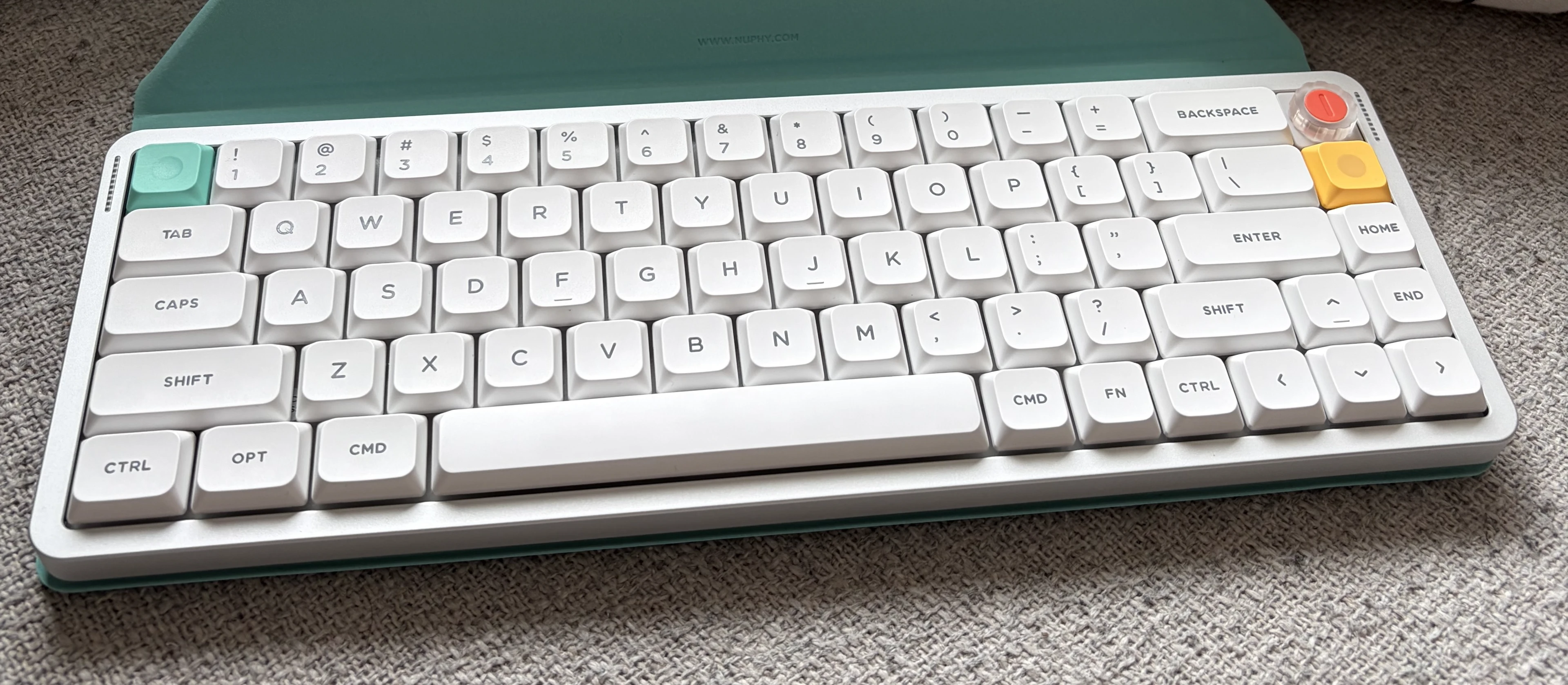
Late last year I ordered a Cherry low profile travel keyboard for use on the go. It wasn't bad, but it wasn't good either... I struggled with it for an age - it seemed a waste not to, but last month decided that I was going to bite the bullet and replace with something that actually did what I wanted. I watched and red reviews and ordered a NuPhy Air v3 65.
After a lot of waiting, I am not good at waiting, it just arrived. First impressions... It is soooo much better than the Cherry! It feels like a quality keyboard - the Cherry, despite having a similar price, never did.
The plastic/aluminium case feels solid and the keys feel great when typing. I am typing this on my lap with way less typos than I got at a table on the Cherry... Part of that is the construction mentioned above, but also the layers of sound deadening material inside, and the shiny weight on the back that not only looks awesome, even if never seen, but provides some substance to the keyboard.
It also has hot swap switches so if I decide I don't like the ones fitted, I can change them. Though that isn't on the cards right now because this sounds so good! Out of the box it sounds as good as my Galaxy 80 does after modding. It also kicks the Kick 75 (also a NuPhy keyboard, and still great to type on) in terms of feel and sound... I kind of wish I had the Air V3 75 for the studio!
Connectivity is about what you would expect with any modern keyboard. USB-C for the full wired experience, a 2.4GHz dongle that you store inside of the keyboard itself - these take up one side of the rear.
On the other side we have the switch between off, wired, and wireless (along side the 2.4GHz dongle, there are also 3 Bluetooth profiles to connect to multiple machiines). I love that you can acess everything without having to remove keys - I will never understand why some manufacturers insist in putting these switches under the tab key!
As well as the keyboard I also got the matching Folio in Mint Green. It adds bulk, but protects the keyboard when travelling, and folds into a stand for iPad. And this keyboard was always supposed to be a travelling keyboard for the iPad. Small and light enough to put into my bag so that when I don't need a full computer I can still have a real typing experience.
It looked a little flimsy when I first looked at it, but when I added an iPad (even still in it's own folio case) I was shocked at how well it worked. 100% stable? No. But stable enough to work with, and far better than trying to balance the iPad folio stand on your lap whilst typing!
And... One hex screw (undone with the included hex driver) and the delete key has been swapped for a volume knob! And as the click can be programmed, I hope I can get the delete key back and keep the volume...
Great first impressions, once I have used it for a while I'll write something up